PCB Holder Essentials: Top Types for Soldering and Circuit Board Stability Tips
12 min
- What Makes a Good PCB Holder for Daily Use
- Exploring PCB Holder Types for Various Needs
- Key Features to Look for in PCB Soldering Holders
- Practical Applications of Circuit Board Holders
- Conclusion
- Frequently Asked Questions (FAQs)
A circuit board holder, also known as a PCB holder, is a mechanical fixture designed to clamp a PCB firmly in place. It secures the board so it won’t move during tricky operations like soldering, desoldering or testing. This hands-free support not only conveniences but also enhances safety and accuracy when you are working on delicate electronics. A good PCB holders ensure stability, keeping the board firmly located. Also helps in better alignment for positioning parts precisely throughout the assembly process. In short, a proper holder is your “extra hand” that prevents accidents and shaky solder joints.
What Makes a Good PCB Holder for Daily Use
Every day use demands a holder that is rugged and easy to adjust. Key features are:
- Using high-temperature material: The holder made of high-temperature plastic does not warp due to heat from the iron. The holders are constructed from heat-resistant materials just for this reason.
- Secure, adjustable Clamps: The clamps should be secure enough to hold the PCB on the edges without causing any bends to occur in it at all times, and all of the holders should have a large enough reach to accommodate various sizes of PCB. Most holders have rubber or silicone pads attached to the jaws for PCB protection from scratches during use.
- Stable Base: The base of the holder can be rubber footed or magnetic and have a weight to keep the base from moving around while soldering. A holder with a heavy base has suction feet or a weighted bottom for stabilizing a large PCB, preventing it from moving as you work.
- ESD/Insulated Holders: Many good holders come with ESD protection through coatings, clips, or other means to protect components from static electricity. Insulating products prevent the possibility of damaging a component from static discharge.
A quality holder clamps tightly and won’t deform or conduct heat to the PCB. A quality holder keeps the board steady, even when pressure is applied with a soldering iron.
Advantages Over Improvised Holding Methods
Why not just balance your PCB on a stack of books or hold it with pliers? In practice, improvised methods are risky. Proper PCB holders eliminate the need to juggle with a soldering iron. An example is that with a holder-free hands-on approach, you will not need anyone else to assist you with holding your board. So once the holder has secured the board's position, this gives you the luxury of being able to freely complete your soldering:
- Hands-Free Stability: The holding device allows you to grip the board firmly, giving you the opportunity to concentrate solely on your soldering, and not trying to keep your printed circuit board (PCB) from moving. According to one source, using a holder means you can work without invoking outside assistance, preventing shaky connections.
- Solder Joints Are Better: Once you have fixed your board in one position, you will be able to regulate your heat application precisely without trying to track down a moving object. A secured board will result in better solder connections.
- Consistency: Every joint will end up located exactly in the same location, which will produce repeatable and precise solder connections. Therefore, you will spend significantly less time doing rework because of missed connections due to board shifting!
In short, a dedicated holder turns soldering from a juggling act into a focused task. A good holder keeps your hands free while holding your board in place.
Exploring PCB Holder Types for Various Needs
Different electronics tasks demand different holders. Here are the most common PCB holder types you’ll encounter:
Adjustable Arm and Magnetic Base Holders
Also known as helping hands, these holders have flexible metal arms ending in alligator clips. They typically come with a heavy or magnetic base for stability. A classic example is the simple soldering stand with two arms and a weighted foot. These arms let you clip the PCB at any corner or edge, and you can often bend them to tilt the board. Many hobbyist models even include a magnifying glass attachment for tiny SMD work. They are ideal for quick solder jobs, small to medium-sized boards.
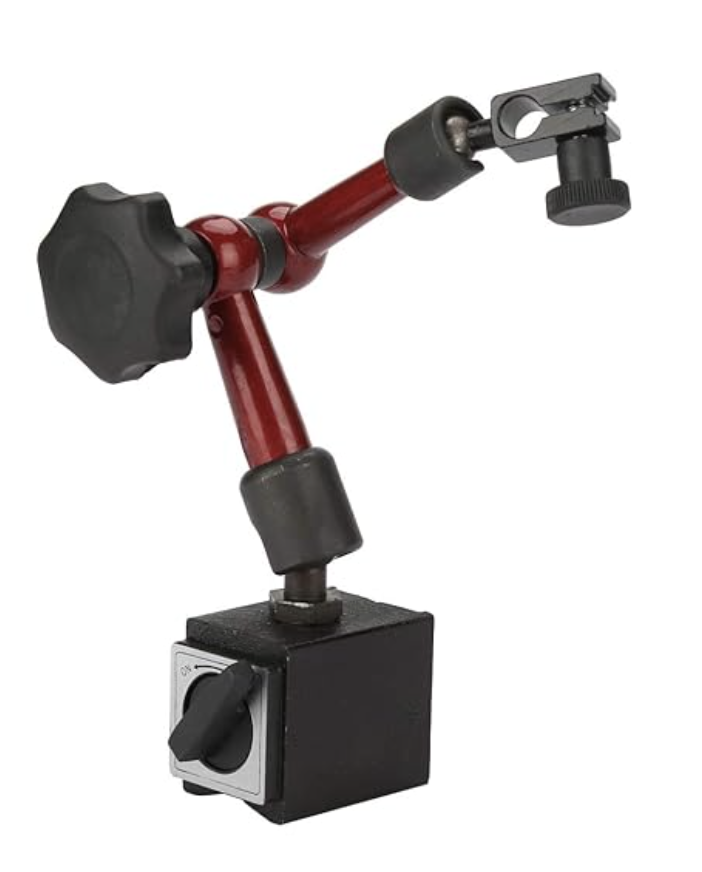
- Pros: They are low cost and arms can reach around odd-shaped boards. The magnetic-base snap onto surfaces making them easy to reposition on a steel bench.
- Cons: They may not handle very heavy boards, and the alligator clips can transfer heat. So avoid clamping heat-sensitive areas directly.
Vice-Style PCB Holders for Heavy-Duty Tasks
For thick PCBs or more demanding jobs, vice-style holders are ideal. These look like mini bench vices or clamps that bolt to your workbench. They have rubberized jaws (or soft pads) that you tighten around the PCB edges. Once locked, the board won’t budge. You can often tilt the board in the vice or lock it flat, making it great for drilling holes, milling, or heavy soldering. Helpful in cases of thick or large boards, such as power supply panels and CNC work.
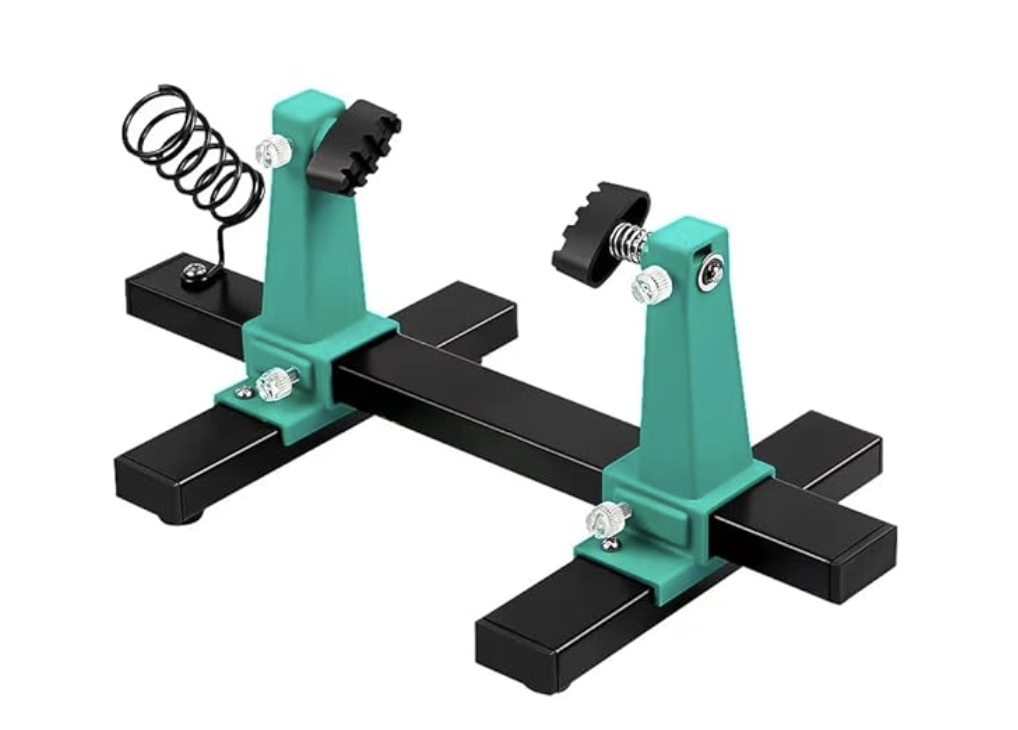
- Pros: Extremely stable and robust. This holder provides a firm grip on thick or big PCBs.
- Cons: Bulky but not portable. They occupy bench space and are typically fixed in one spot.
When you have a bulky PCB or need absolute immobility, it will be worth the investment.
Rotating and Third-Hand Soldering Holders
Some holders add more axes of movement. A third-hand holder is like an elaborate helping-hand stand with multiple arms and clips. It might hold the PCB, wires, components, and even a soldering iron tube at once. These are great for detailed work where you need the board and parts perfectly arranged.
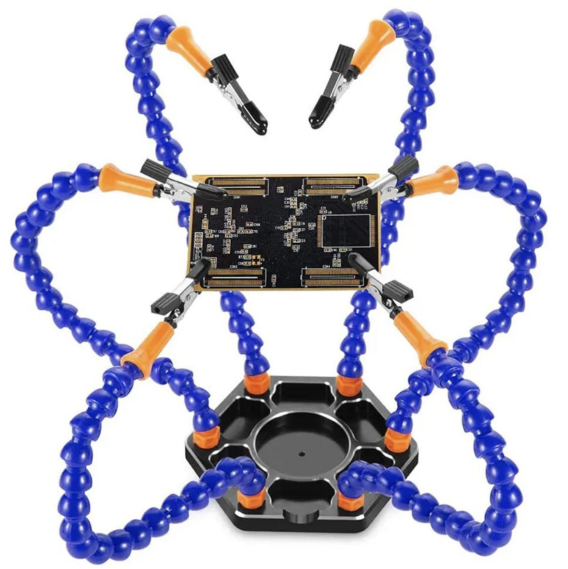
Another style is the flip-frame or rotating holder. You slide the PCB edges into the clamps, and then you can spin the entire frame 360 degrees. This lets you easily flip a double-sided board without unclamping it. These allow full 360-degree rotation and can lock at any angle. They are widely used in electronics repair or any scenario requiring access to both sides of the board.
- Pros: Third-hand stands give maximum flexibility with extra arms and are often built-in with soldering irons or component holders. Rotating flip-frames let you spin the board easily, which is a massive time-saver for multi-layer work.
- Cons: These can be more complex and expensive. Third-hand tools can get cluttered with arms in the way, and big flip-frames take up space.
Key Features to Look for in PCB Soldering Holders
When choosing a PCB holder, consider the following features as must-haves:
Material Durability and Heat Resistance
Holders should be made of sturdy materials, such as steel or aluminium, that won’t deform under soldering heat. Many models use heat-tolerant metal alloys or high-temperature plastics. JLCPCB emphasizes that quality holders are built from heat-resistant materials. These same materials often offer ESD protection. These holders include an insulating coating to guard sensitive ICs from static. Always check that solder doesn't drip or warp the frame.
Adjustability, Clamping Force, and Size Compatibility
A good holder should adapt to your project’s needs. Look for a wide adjustment range; the clamps or slides should open wide enough for your largest PCBs. Many holders feature thumbscrews or sliding rails for this purpose. For example, one guide reminds users that most adjustable holders can accommodate a range of thicknesses. However, please verify the clamping range before making a purchase.
The clamps themselves should provide strong but even pressure. Soft jaws on the clamp surfaces spread out the force to avoid scratching of the board. Whether the mechanism is screw-tightened or spring-loaded, it must hold the PCB without slipping. If possible, test the maximum width and thickness PCB it can grip. A well-adjusted holder allows you to lock the board at any angle for precise work.
Additional Accessories Like Magnifiers and Lights
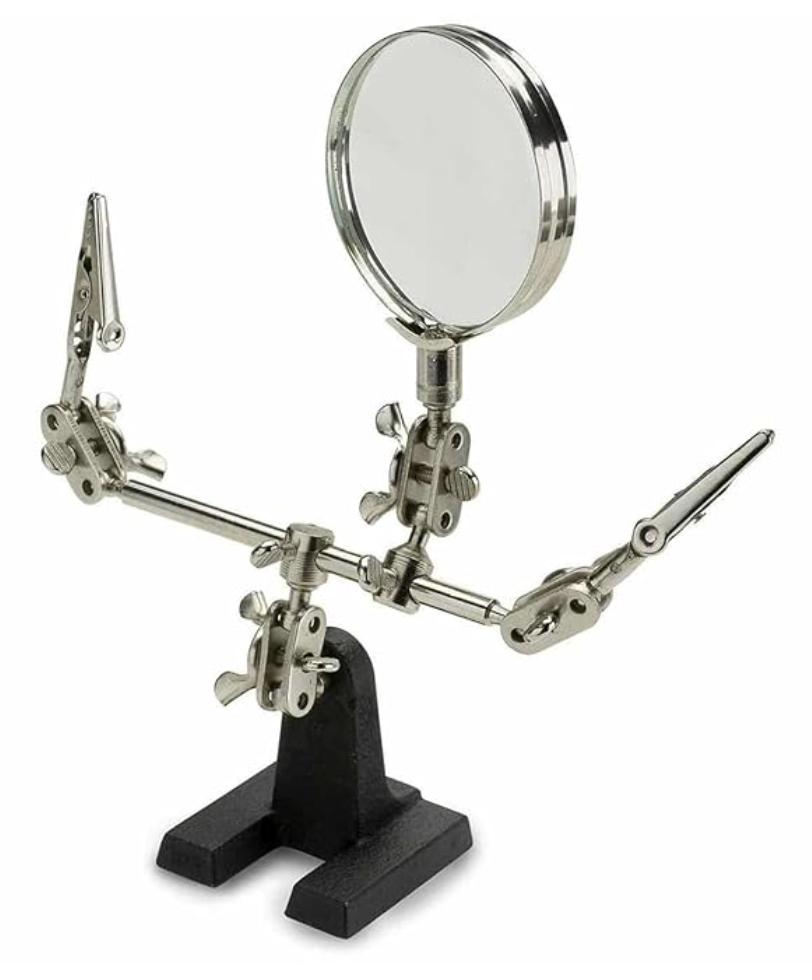
Many soldering holders include built-in accessories to make life easier. Some common add-ons magnifying lens in the adjustable arm, to help you see tiny solder joints more clearly. Some kits come with an LED light that clips to the frame to provide extra illumination. Some holders may come with small screw trays or parts bins attached to the base so you don’t lose those tiny components. If you frequently work with microscopic parts, prioritise a model that includes a magnifier.
Practical Applications of Circuit Board Holders
Soldering and Desoldering Scenarios
By securing the board, you can apply heat confidently. A stable board means better solder joints, because you aren’t chasing the PCB around. We advise that for soldering, you want a heat-resistant and rotatable holder with secure clamps and adjustable arms. Such holders often have anti-slip feet or suction pads to keep the assembly firmly. In practice, using a holder during soldering prevents issues like lifting pads. This made the process of reflowing components more reliable.
During desoldering or rework, the ability to flip and tilt the board is key. You may heat a component from one side and then turn the PCB to work on the other side. In many rework jobs, we need access to both sides of the board. So a holder that allows quick 180° turns with quick-release clamps to swap boards is necessary.
Inspection, Testing, and Repair Workflows
Holders are equally helpful for inspection and testing. When you need to examine solder joints under a microscope or probe a circuit with a multimeter, it helps to have the PCB fixed at a comfortable angle. With fine-angle control life is easy because now technicians don’t have to cran their necks over the board. This means you can lock the board vertically and then use both hands for visual inspection. In repair workflows, the board often needs quick transfers between the soldering station and testing. You clamp the board once and then simply swap probes or hot-air without re-securing it.
Prototyping and Hobby Electronics Projects
In prototyping or hobbyist builds, flexibility is king. You might be working with odd-shaped DIY boards or frequently changing layouts. Here, a modular, multi-axis holder is invaluable. In the prototyping phase, flexibility is key; holders with interchangeable arms or multi-axis joints let you accommodate unusual board geometries. For example, replace one clamp with a clip for wires. A well-chosen holder means you can move quickly from breadboard to soldering without relearning a new setup each time. In educational settings, a reliable PCB stand lets students see both sides of the board easily and build confidence.
Conclusion
Spend according to your needs because PCB holders can cost anywhere from a few dollars to tens of dollars. "Helping-hand" stands at the entry level can be extremely cheap, frequently costing less than $10. These are typically more ergonomic and have thicker construction, despite being more expensive. Purchasing a slightly better holder instead of replacing a cheap one later is often more prudent.
Consider things like the size of your projects, how frequently you solder, and whether the holder will remain on one bench or move. After selecting a holder, carefully arrange it. Before making your first solder connection, make sure to tighten the knobs of the clamps.

Frequently Asked Questions (FAQs)
Q: What are the main differences between a PCB holder and a PCB clamp?
A: Although the terms are interchangeable, a PCB clamp might refer to a kind of clip that encircles the PCB and has a "spring" mechanism, whereas a PCB holder usually refers to a larger device intended to keep the PCB in place.
Q: Can some PCB holders adjust to different thicknesses and sizes?
A: You should search for PCB holders with sliding jaws and/or multiple clamping points because the vast majority of them are adjustable to a range of sizes and thicknesses. For varying thicknesses, a larger percentage of holders will work; however, make sure the PCB will be fully secured by always consulting the manufacturer's clamping range.
Q: Can I use metallic holders to hold components that are sensitive to ESD?
A: Of course you can use metallic holders for ESD sensitive components but be careful since while metal as a material does not pose a risk, it can hold a charge. If you are working on ESD sensitive components like RAM or microcontrollers, then be careful to use a holder made out of ESD safe material or one that is coated with it.
Q: What are some additional features that PCB holders can have?
A: There are many PCB holders that have some nice extra features. The most common of these is a magnifying glass that is attached to an arm that allows for some adjustability as well as an LED lamp that illuminates the workspace. Some have built in trays for holding screws and other components, while others have soldering iron holders built into the base.
Q: What PCB holder is the best for supporting heavy components with large sizes?
A: Bench vise style holders are generally the best for this. These holders look like mini bench work vises and have soft jaws that rubberized so that they can firmly and gently hold the edges of the PCB. They can hold boards that are much larger than what the hobby-style clamps can.
Popular Articles
• Understanding the Basics of Electronic Devices and Circuits
• Understanding Digital Circuit Timing: Setup Time, Hold Time, Contamination Delay & Clock Skew
• PCBs Explained: A Simple Guide to Printed Circuit Boards
• Guide to the Top 10 Commonly Used Electronic Components
• Digital 101: Fundamental Building Blocks of Digital Logic Design
Keep Learning
Polyimide Flex PCB: A Complete Guide for Engineers
A polyimide flex PCB can be folded about 285,000 times when the base film is 25 µm (1 mil) thick. Make that film 75 µm (3 mil), and the same MIT fold test gives up near 6,000 cycles. Bending is a strain problem, not a material problem. Copper sits above the center of the stack, so a bend forces it to stretch around the longer outer path. Figure 1: A polyimide flex circuit folded tight, with a stiffener holding the connector A thicker stack places the copper farther out, resulting in more stretch at th......
Flex PCB Bend Radius: Calculation, Minimum Radius & Design Guidelines
Flex PCB bend radius is the one dimension on an FPC that no design rule check will catch. Bend the circuit tighter than its material allows; the outer copper stretches from its elongation limit, and then it cracks. Figure 1: A flex circuit formed around a mandrel, with bend radius and stack thickness A flex circuit bends around a neutral axis near the middle of its stack. Copper below that line is squeezed, and copper above it is pulled. So the further a layer sits from the line, the harder it is to w......
Flexible Circuit Connector: Types, Features & Selection Guide
A flexible circuit connector clamps onto the bare copper at the end of a flex circuit, so nothing is soldered at that joint. The tail slides into the housing, and an actuator presses a row of spring contacts onto the pads. Every connector is built around one tail thickness. TE's 0.5 mm pitch 2328702 family expects 0.30 mm (12 mil) of flex, because the contact beams are deflected by exactly that dimension. Figure 1: Cross-section of a 0.5 mm pitch FPC connector with the tail inserted Feed it a bare sin......
FPC vs FFC: Understanding the Key Differences Between Flexible Circuit Technologies
The FPC vs FFC decision is really a question about how the copper was made. An FFC consists of flat copper strips laminated between two PET films. Every conductor runs straight from end to end at one fixed pitch, because nothing in that process can make a trace turn or branch. An FPC starts as copper-clad polyimide and is etched exactly like a rigid board. Traces can turn, taper, split onto a second layer, and land under a soldered component. The finished circuit can be as thin as 0.1 mm (4 mil). Figu......
A Comprehensive Guide to Capacitor ESR: What It Is, Good Values, and How to Measure It
Key Takeaways Definition: Capacitor ESR (equivalent series resistance) is the single resistance that represents the losses inside a real capacitor, from its electrodes, terminations, electrolyte, and dielectric. Why It Matters: Ripple current flowing through the ESR produces a ripple-voltage step on the supply rail and I²R heating in the capacitor, which limits the capacitor's ripple-current rating and service life. Conditions Matter: ESR varies with frequency, temperature, capacitance, case size, and......
Understanding IPC-6012 Standards for High-Reliability Rigid PCB Fabrication
Key Takeaways IPC-6012 vs. IPC-A-600: IPC-6012 is the binding specification, while IPC-A-600 is only for visual reference. Class 2 vs. Class 3: Class 3 requires thicker copper (25μm vs. 20μm) and zero plating voids. Coupon Verification: Quality is tested by microsectioning panel coupons after thermal stress. Upfront Callout: Specify the class on drawings upfront; boards cannot be upgraded later. IPC-6012 is the line on your fabrication drawing that decides what your supplier is allowed to ship. Most d......