PCBA Customer Receiving Basic Inspection Guide: Appearance, Polarity, and Soldering
Last updated on Oct 26, 2026
Note
Application Scenario: Visual inspection of PCBA appearance after unpacking, verification of component placement polarity and orientation, and identification of common SMT/DIP soldering defects (with reference to IPC-A-610 acceptance criteria).
After completing the polarity and soldering visual inspection and confirming that no defects are present, please refer to the [PCBA Initial Power-On Troubleshooting Guide] for basic power-on testing.
Inspection Environment and Auxiliary Tools
To ensure the accuracy of the visual inspection, it is recommended to perform the inspection under the following standard conditions:
1. ESD-Protected Environment
Use an EPA workstation equipped with an ESD mat. Inspectors should wear an ESD wrist strap or ESD gloves.
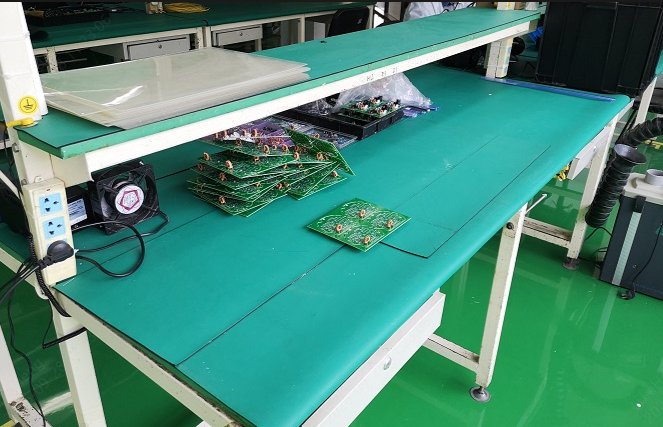
ESD-safe workbench with anti-static table mat
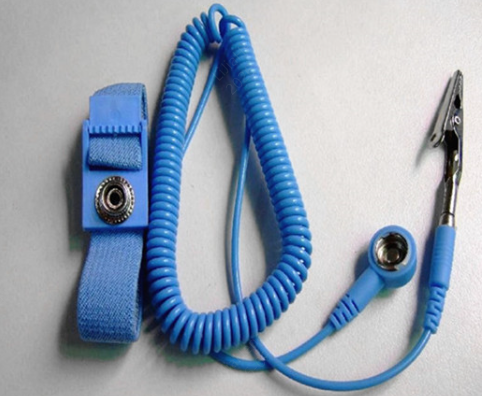
ESD wrist strap
2. Lighting and Magnification Tools
- Adequate lighting: Use a ring LED inspection light.
- Magnifying glass / microscope: For routine visual inspection, use a 5X–10X magnifying glass. For fine-pitch components, such as 0.4 mm-pitch QFPs, QFNs, and BGA edges, a 10X–20X electronic microscope is recommended.
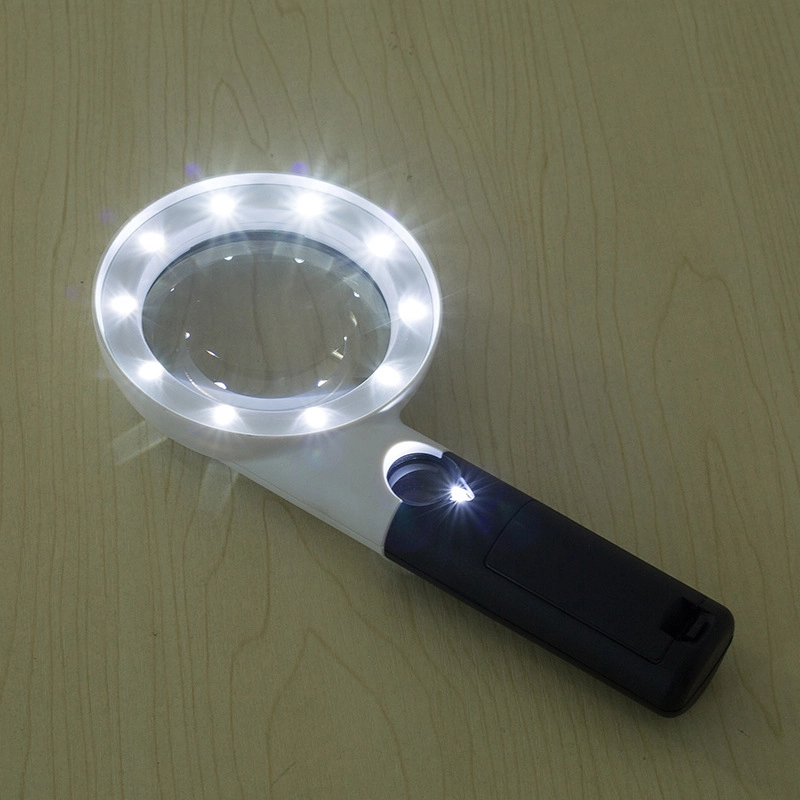
Ring LED inspection light
3. Reference Materials
- The BOM, silkscreen/assembly drawing, and DFM Analysis corresponding to the specific PCBA version.
- Applicable product standard reference documents, such as the IPC-A-610 Class 2 standard.
PCB Material and Substrate Appearance Inspection
First, perform an overall visual inspection of the PCB itself and its surface coating to identify any damage that may have occurred during manufacturing or transportation:
Warpage and deformation: Check whether the PCB has any obvious bending or twisting. Excessive warpage may make insertion and removal difficult or cause internal stress and cracking in components such as BGAs and chip capacitors.
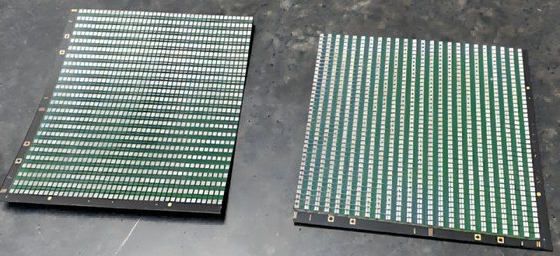
PCB Warpage
Physical damage to board edges and surfaces: Check the PCB edges for chipped corners, notches, or fractures. Check whether the solder mask (such as green or black solder mask) is scratched or scraped away, exposing the underlying copper.
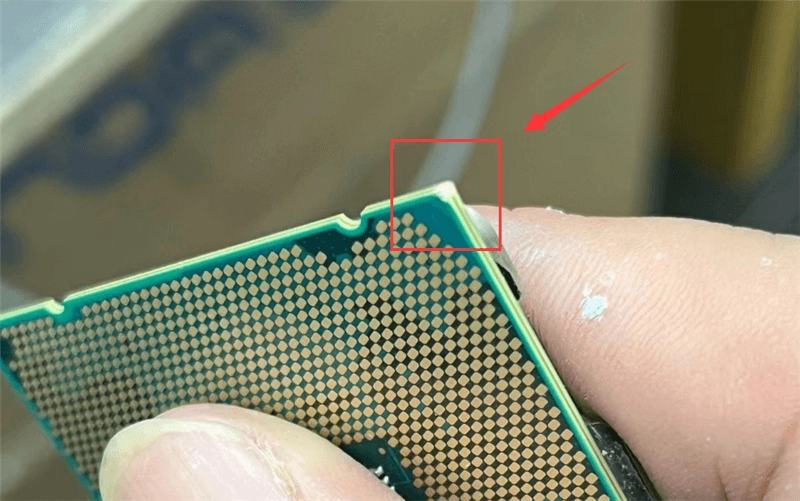
PCB edges for chipped corners
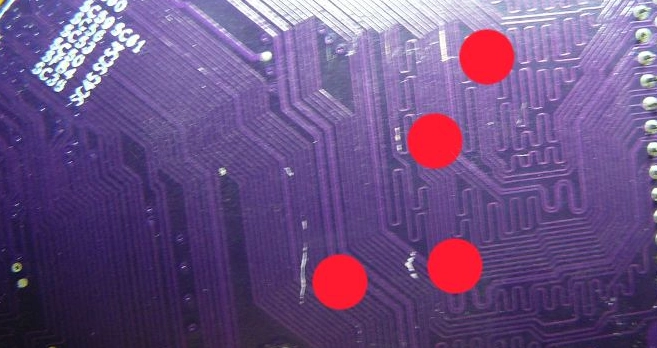
PCB solder mask scratch defect
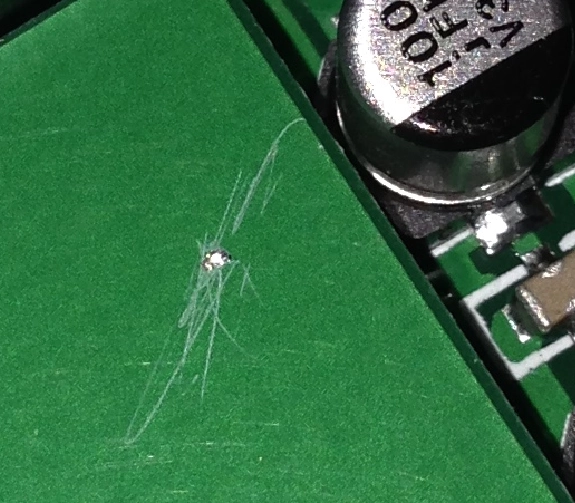
Scratched green solder mask on PCB surface
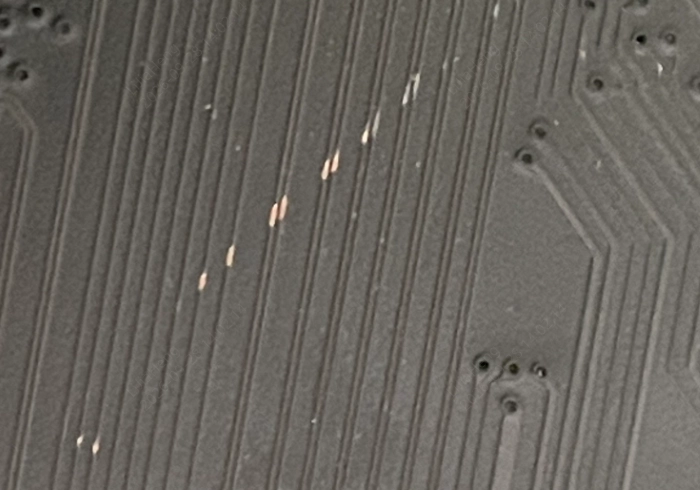
PCB solder mask damage with exposed copper traces
Contamination and cleanliness (flux residue): Check whether there is excessive flux residue, oil contamination, or foreign matter on the board surface. Insufficiently cleaned active flux residue may cause micro-short circuits or corrosion in humid environments.
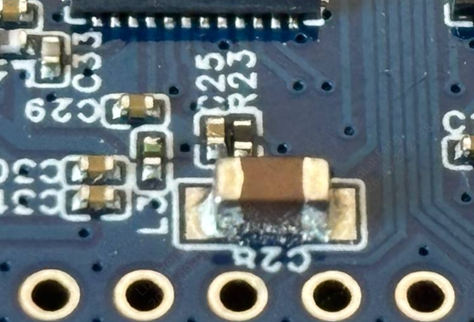
PCBA flux residue contamination
Gold fingers / edge connectors: Check the gold finger surfaces for scratches, oxidation or discoloration, solder contamination, or fingerprints and other stains.
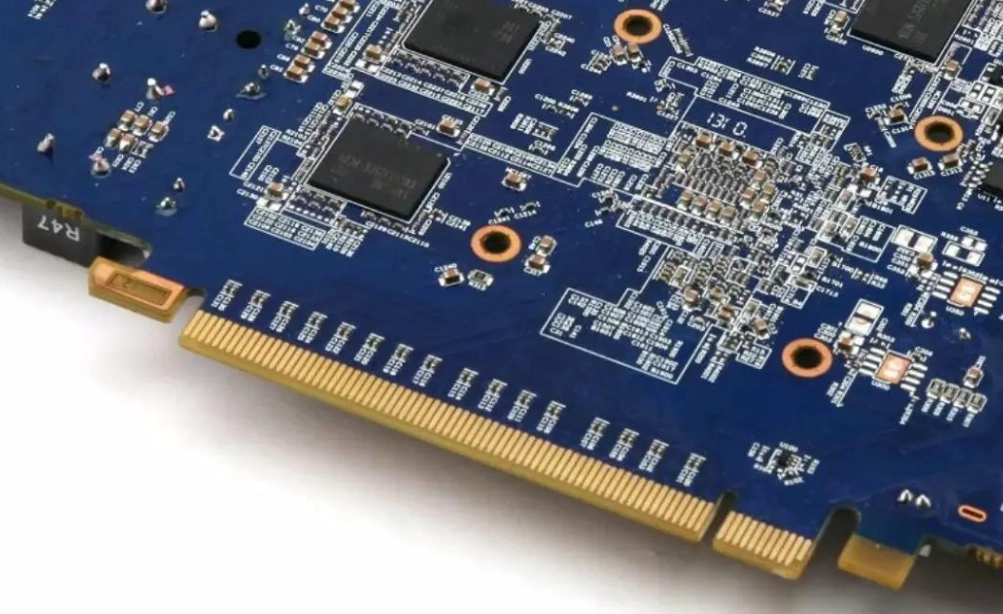
PCB Gold Fingers
Component Orientation and Polarity Inspection
Incorrect component orientation or polarity is one of the key risks that may cause abnormalities during the initial power-on of a PCBA. Therefore, before initial power-on, special attention should be given to verifying whether the actual soldered orientation of polarized components is consistent with the production documentation.
Actual PCBA production is based on the production documents confirmed for the order. Customers can refer to the DFM Analysis included in the order to view the DFM engineering drawing used for actual production. The component designators, package information, and polarity markings shown in the DFM engineering drawing should be used as the reference for verifying whether the actual soldering condition of the PCBA is consistent with the production documentation.

JLCPCB DFM Analysis entry link
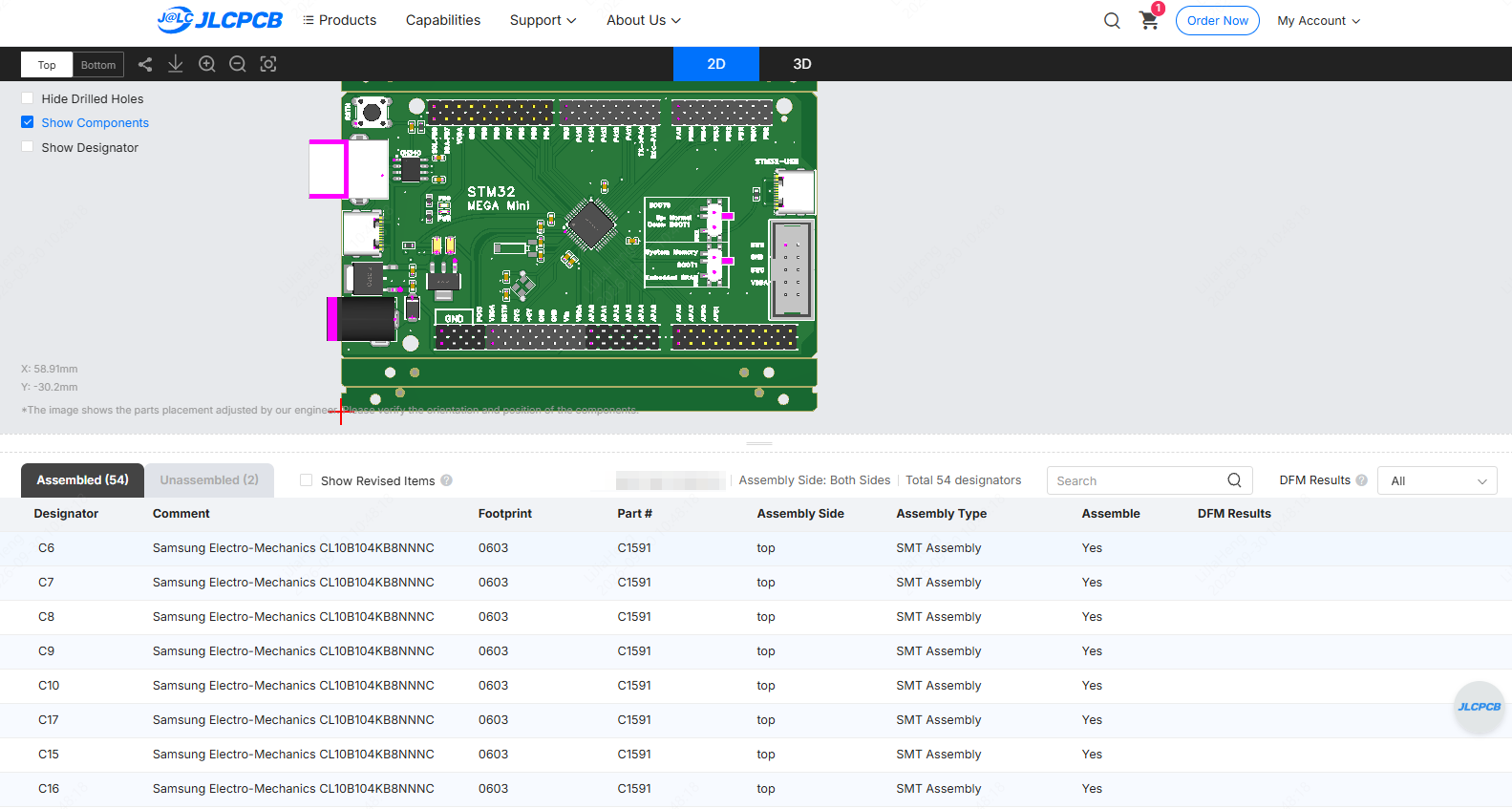
DFM Analysis menu
After completing the initial comparison between the DFM engineering drawing and the actual soldering condition of the PCBA, focus on components that have orientation requirements, such as diodes, LEDs, tantalum capacitors, electrolytic capacitors, ICs, and connectors, and confirm that their actual soldered orientation is consistent with the polarity markings in the DFM engineering drawing.
For methods of identifying the polarity and orientation of common electronic components, please refer to the following article: Component Polarity & Orientation Identification Guide
Common SMT Component and Solder Joint Defects
Pay particular attention to whether the solder joints form complete and continuous solder connections, and whether there are obvious signs of insufficient wetting, opens, bridging, or abnormal component shift between the component leads and pads.
The following are some of the most common soldering defects and their identification methods:
1. Solder Bridging
Description: Excess solder connects two or more adjacent solder joints, resulting in a direct short circuit.
Common locations: Between the pins of fine-pitch QFP and SOP components, as well as densely populated connectors such as pin headers and female headers.
Risk: May cause a power short circuit or unintended current flow between signal lines when the PCBA is powered on.
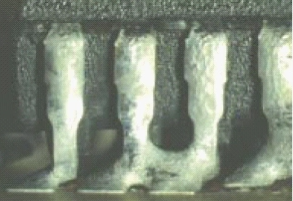
Solder Bridge
2. Tombstoning
Description: One end of a two-terminal SMD component, such as a 0402 or 0603 resistor or capacitor, is soldered to the pad while the other end lifts away from the pad, resembling a tombstone.
Risk: May result in an open circuit and cause the circuit to malfunction.
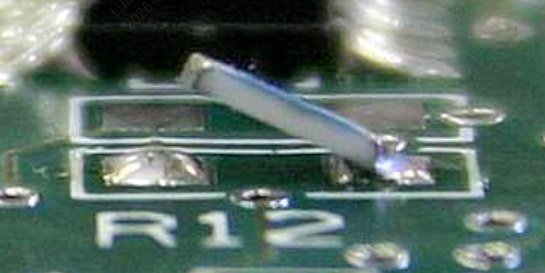
PCB tombstoning
3. Cold Solder Joints and Open Solder Joints
Description:
- Cold Solder Joints: The solder does not form a normal, continuous solder connection with the component lead or PCB pad. The specific condition should be assessed based on the appearance of the solder joint and the actual soldering condition.
- Open Solder Joints: The component lead is suspended above the pad, or the amount of solder on the pad is insufficient to make contact with the lead.
An abnormal solder joint may indicate that a normal, continuous solder connection has not been formed between the solder and the pad or component terminal. If the condition cannot be confirmed by visual inspection alone, customers are not advised to make the determination themselves. Photos can be provided for further confirmation by an engineer.
Risk: May cause an open circuit or poor electrical contact and can appear as an intermittent or latent fault that works inconsistently.
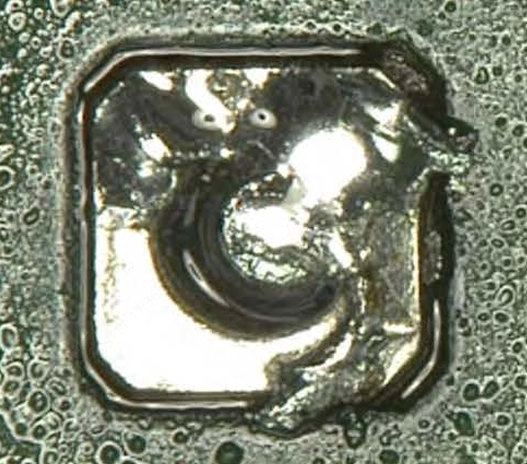
Cold solder joint
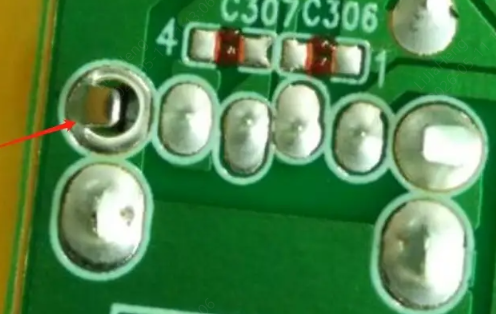
PCB open solder joint
4. Component Misalignment
Description: An SMD component rotates or shifts horizontally on the pads, causing its leads or terminals to deviate from the center of the designed pad position.
Component Misalignment: Check whether the component is visibly displaced from the designed pad position, resulting in insufficient effective overlap between the component terminals and pads and creating a risk of a short circuit or open circuit. For borderline cases, the specific component package and IPC-A-610 requirements should be considered for evaluation.
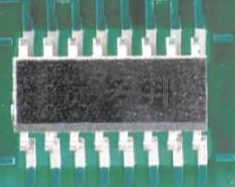
SMD component misalignment defect on PCB
5. Solder Balls
Description: Spherical solder particles remaining on the PCB surface or around component leads after soldering.
Risk: If a solder ball becomes detached during subsequent use or vibration, it may move beneath a fine-pitch IC and cause a latent short circuit.
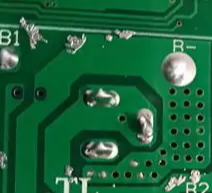
Solder Balls
Note
Hidden Solder Joints Beneath Components (BGA / LGA / QFN Thermal Pads)
Solder joints in packages such as BGA and LGA are hidden beneath the component and cannot be directly inspected through conventional visual inspection. If it is necessary to determine whether such packages have solder bridging, open solder joints, or voids, sampling inspection using X-ray inspection equipment is recommended.
Nonconforming Product Identification and Feedback Process
If any of the above visual defects are identified during inspection, follow the steps below:
1. Isolate and Mark the Defective Board
- Place a positioning label (red dot sticker) near the defect location. Do not place the label directly on the IC package or gold fingers.
- Place the affected board in a dedicated ESD-safe container for nonconforming products and keep it separated from qualified products to prevent mixing.
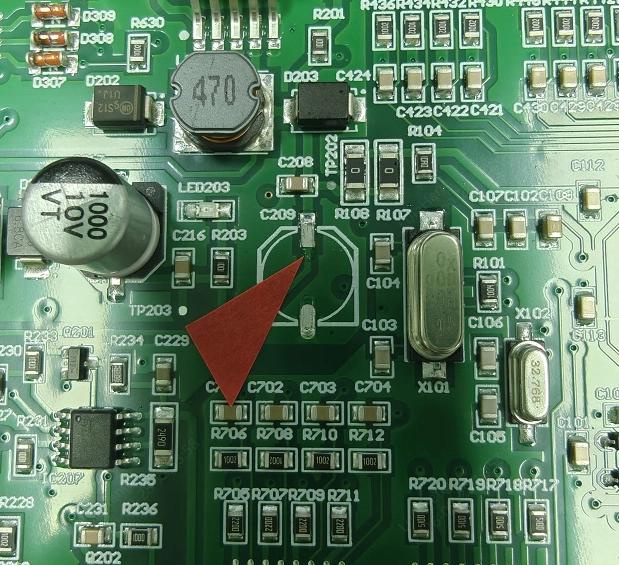
Isolate and Mark the Defective Board
2. Record Defect Data
- Record the total number of boards inspected for the batch, the number of defective boards, and the specific defect types identified.
After-Sales Support
To help our after-sales engineers quickly identify the issue, please provide the following information when reporting an abnormality:
1. Your order number
2. The affected quantity and the total quantity received
3. Clear photos/videos: An overall photo of the affected PCBA and close-up photos/videos of the defective areas.
Please send the recorded close-up photos and videos of the defects to our after-sales engineering team. We will promptly assess the issue and help determine the cause.