JLCPCB PCBA Review Before Payment Service Is Now Available
Last updated on Sep 23, 2026
Note
To improve the PCBA ordering experience, JLCPCB has officially launched the Review Before Payment service.
With Review Before Payment, your order can be reviewed before payment. Once the review is completed, the system will update the amount due based on the final review results. You can then confirm the final cost and complete the payment.
Review First, Pay Later for Clearer Costs
Submit Order → Complete Review → Confirm Final Cost → Complete Payment
After selecting Review Before Payment, you do not need to make an immediate payment when submitting your PCBA order. The order will first enter the review process.
During the review process, if there are cost changes resulting from component replacement, BOM/CPL file adjustments, or changes in Advanced Options fees, the system will update the final amount due before payment. You only need to pay the final amount after review — no additional payments or refunds needed afterward.
Key Benefits of Review Before Payment
1. More Flexible Payment
You do not need to pay immediately after submitting your order. Complete the review, confirm the final cost, and then make the payment.
2. Confirm Costs Before Payment and Avoid Additional Payments or Refunds
If the cost changes during the review, the system will directly update the amount due before payment. You can complete the payment once based on the final cost.
3. Components Are Reserved to Secure Your Order
Components are reserved as soon as the order is submitted and can be held for up to 7 days before payment, reducing the risk of inventory being released and the reserved components being purchased by other customers while your order is under review.
4. Easier Advanced Options Review
Advanced Options can be reviewed as soon as you submit your order. If the review results in any changes to the fees, the updated amount will be shown before payment, so no additional payment or refund is required afterwards.
How to Use
1. Select a Payment Method
Select Review Before Payment on the checkout page.
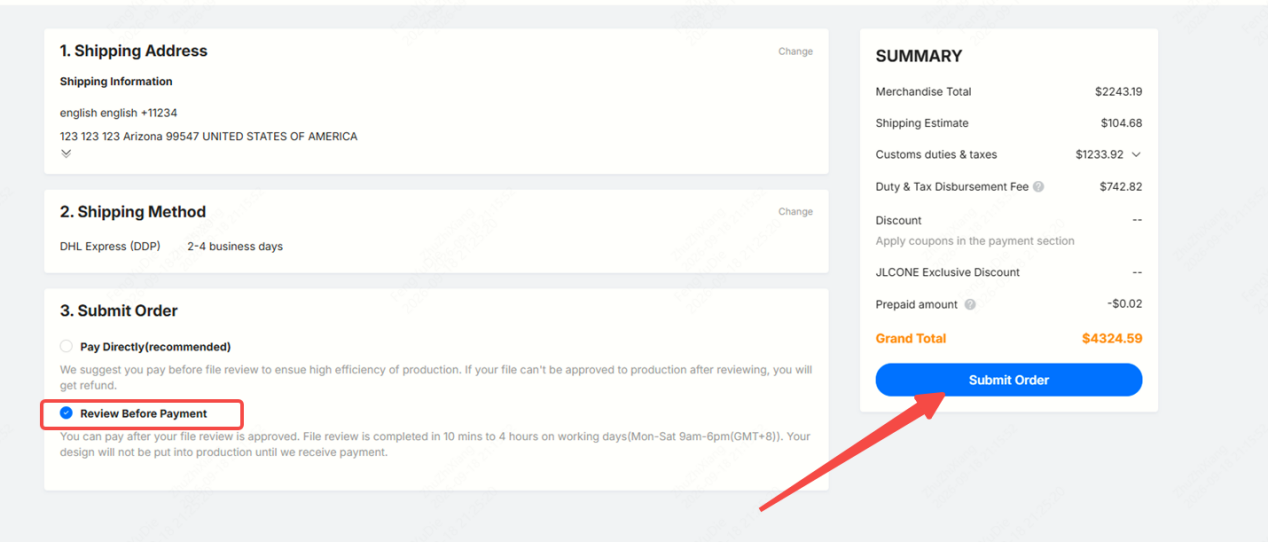
2. Submit Your Order
After submission, the order enters the File Review status. You do not need to make an immediate payment.
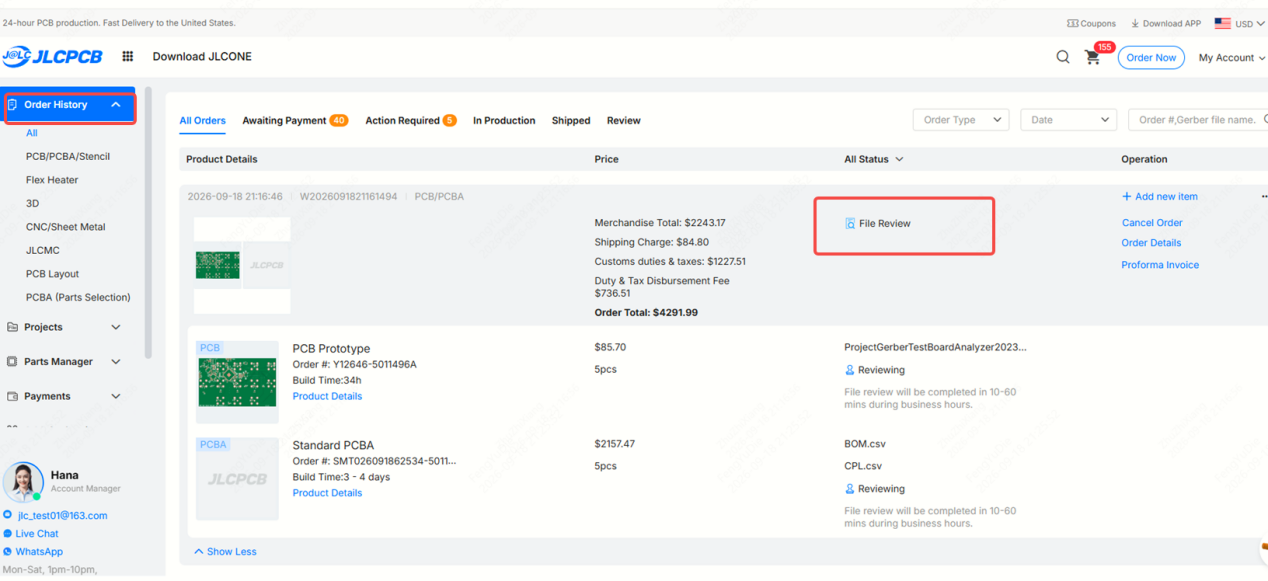
3. Wait for the Review
The review process proceeds through the following stages:
Pending Review → Reviewing → Review Completed
If the cost changes during the review, the system will update the amount due directly before payment.
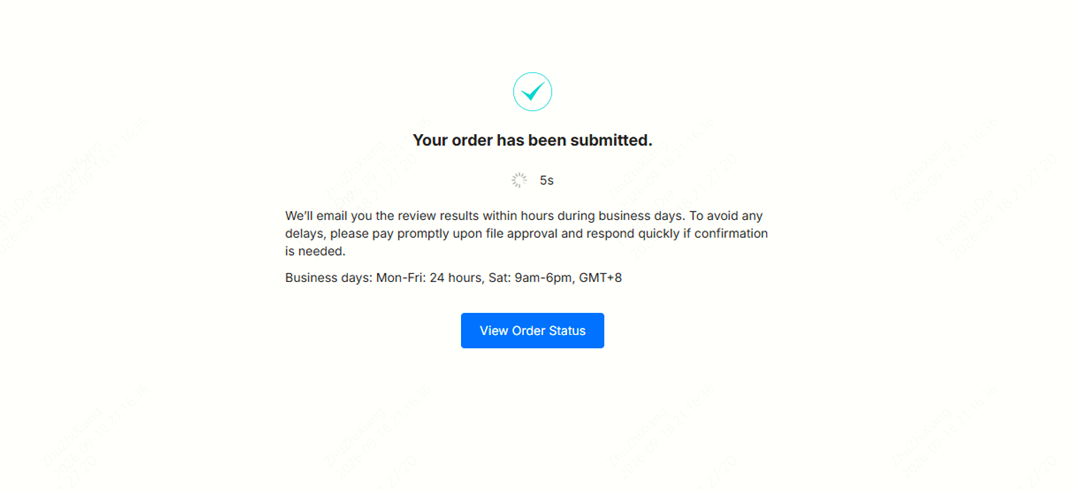
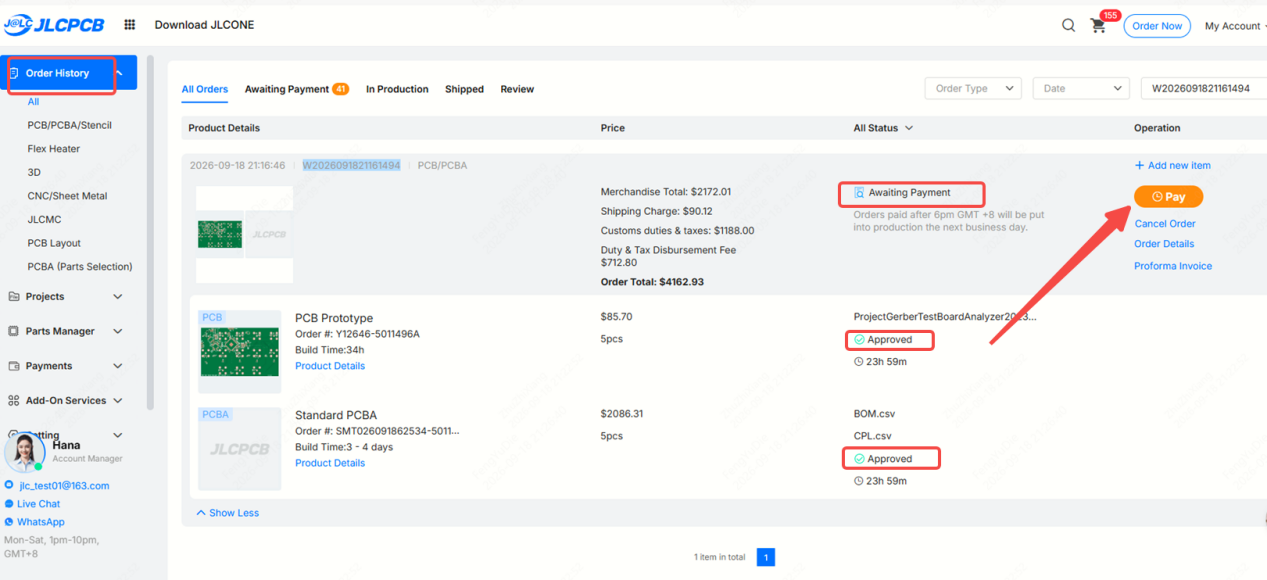
4. Pay After the Review Is Approved
After the review is completed and the order is Approved, the order moves to Awaiting Payment. Confirm the final cost and complete the payment.
5. Enter the Regular Order Process
Once payment is completed, the order status changes to Confirmed. The order then proceeds through the regular PCBA process, with production files prepared before manufacturing begins.
Important Notes
- Components are reserved immediately after a Review Before Payment order is submitted and can be held for up to 7 days before payment.
- Orders that have been Approved but are still Awaiting Payment cannot be modified.
- The review only covers costs confirmed before payment. If additional charges arise for other reasons after payment and the order has entered production, they will need to be handled separately and are not included in this review.