How to Obtain SMT Stencil Production Files Only Without Ordering a Physical Stencil?
Last updated on Aug 14, 2026
If you only need the SMT stencil production files and do not require a physical stencil, you can still place a stencil order and request production files only.
Once the production files have been completed, you can download them. The physical stencil order will then be cancelled, and only a $3 engineering fee will be charged for file preparation.
How It Works
1Step 1: Place a Stencil Order
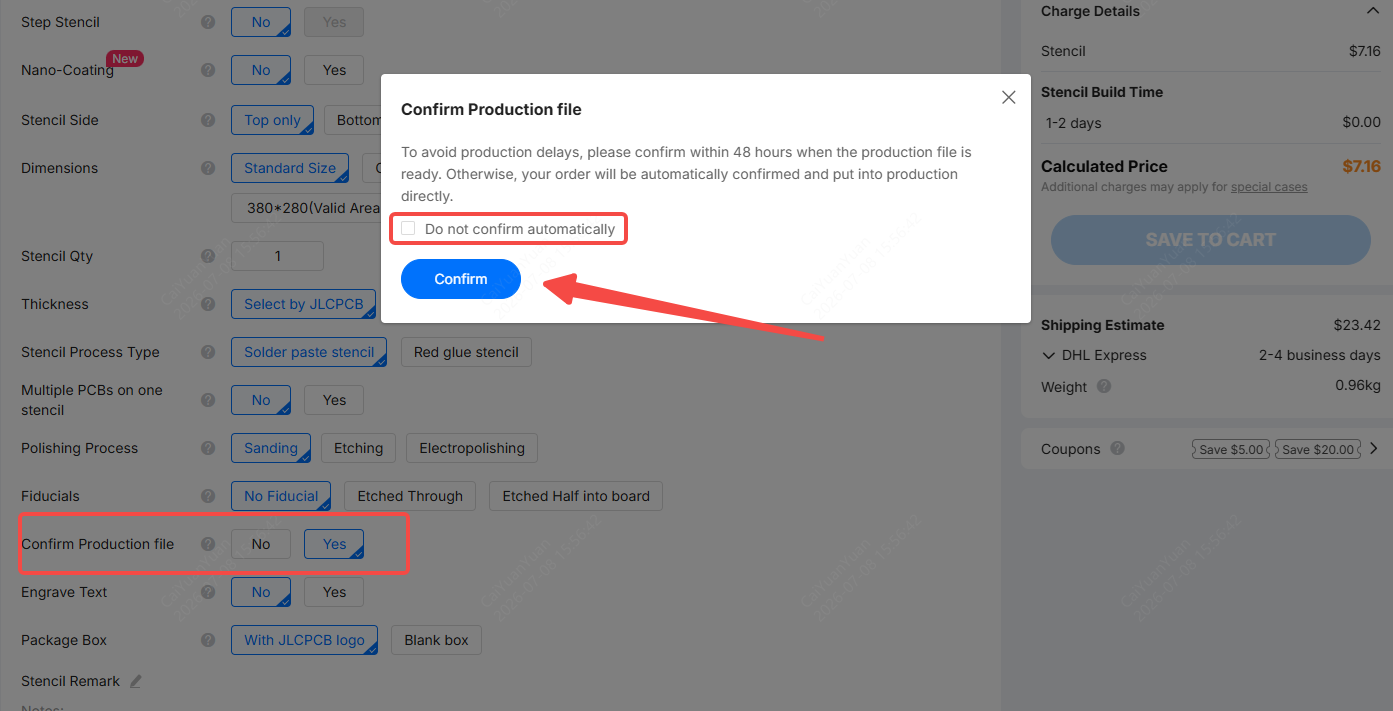
Submit a stencil order using your existing PCB production files. Select the option “Confirm Production File (Do not confirm automatically)” during the ordering process.
This allows our engineers to prepare the stencil production files based on your PCB manufacturing data.
2Step 2: Add a Stencil Remark
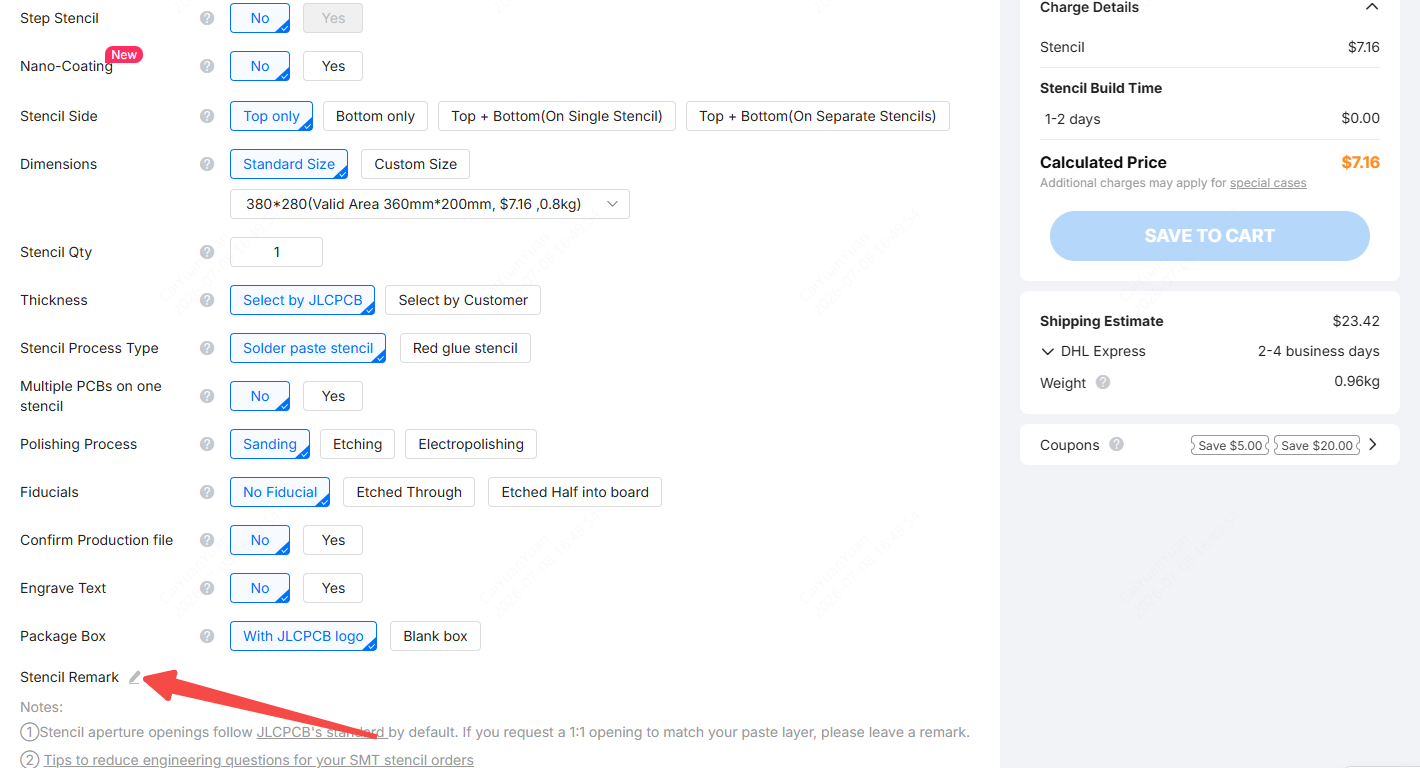
Before submitting your order, leave a Stencil Remark in your order stating:
“No physical stencil required. Only production files are needed.”
This helps our team identify your request and process it correctly.
3Step 3: Wait for the Production Files
Once your order is processed, our engineers will prepare the stencil production files.
You will be able to download the production data once it is ready.
4Step 4: Cancel the Physical Stencil Order (After Files are Ready)
After reviewing the production files and confirming that all details are correct, do NOT click "Confirm Product File," as this will release the order for production. Instead, contact our customer support team to cancel the physical stencil order after downloading the production files.
After cancellation:
- The product value, shipping cost, and applicable taxes and duties (if any) will be refunded.
- A $3 engineering fee will be charged for preparing the production files.
Important Notes
- This service is intended for customers who require stencil production files only and do not need a physical stencil.
- Please make sure to clearly leave the required remark when placing the order. Otherwise, the physical stencil may enter production.
- Refunds will be processed only after the production files are completed and the physical stencil order has been canceled.
Summary
If you only need SMT stencil production files, you can:
- Place a stencil order using your PCB production files.
- Select "Confirm Production Files (Do not confirm automatically)".
- Leave a stencil remark: ”No physical stencil required. Only production files are needed.“
- Download the production files once they are ready.
Please review them carefully to ensure all details are correct. But do NOT click "Confirm Production Files," as this will release the order to production.
- Contact customer support to cancel the physical stencil order.
- Refund the stencil and shipping costs as well as the taxes and duties (if any). A $3 engineering fee will be charged for file preparation.