How to Convert EDA Files for Faster JLCPCB Order Processing?
Last updated on Apr 13, 2026
Many of our customers design schematics and PCBs using various EDA tools, including Easy EDA pro, Easy EDA std, KiCad, Altiumn and others.
However, non-EasyEDA projects often require engineer scheduling at JLCPCB, which can lead to longer lead times and potential processing delays.
To speed up review, improve compatibility, and streamline production, we strongly recommend redesigning your schematic directly in EasyEDA Pro if possible, especially for complex designs. This method greatly reduces conversion errors and ensures full compatibility with our production system.
If redesigning is not feasible, we provide guidance to convert schematic files from other formats into an editable format for EasyEDA Pro — using KiCad as an example.
Please refer to the following operations for file conversion and check if there are any issues. Please let me know after re-uploading.
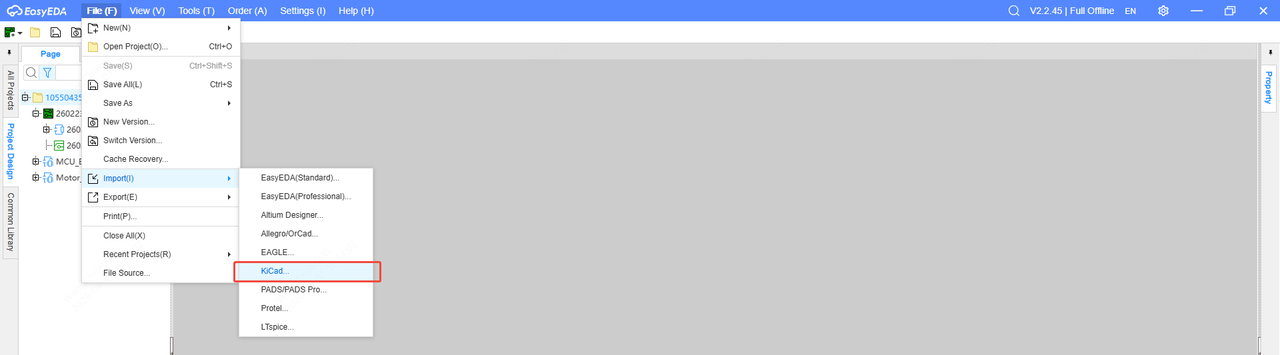
1. Import the compressed package file of the entire kicad project in EasyEDA pro
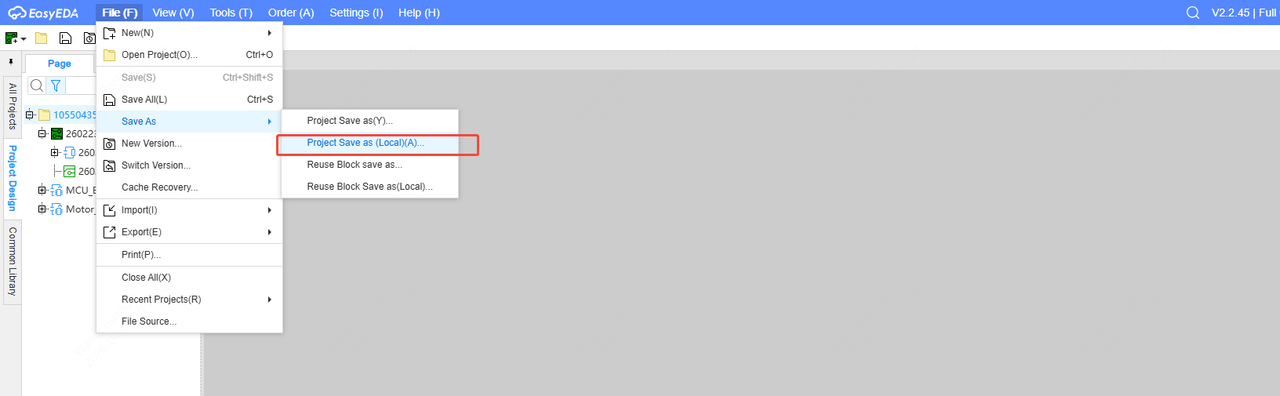
2. Export as an epro format file
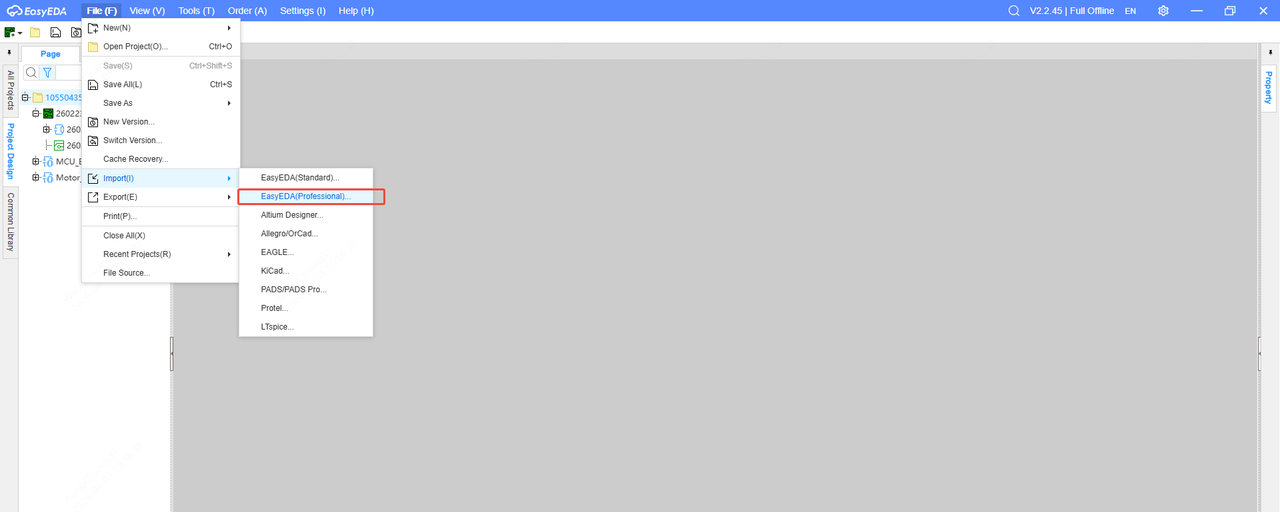
3. Import the epro file to check if the design is correct
After conversion, you must carefully verify the schematic for correctness, including symbols, pins, connections, and component values. The JLCPCB team is not responsible for checking or verifying schematic accuracy after file conversion.