Component Matching Guidelines for PCBA Orders
Last updated on Sep 09, 2026

When placing a PCBA order on JLCPCB, customers are required to upload the Gerber, BOM, and CPL files. JLC uses an automated component matching system to identify parts based on the uploaded files. However, some designators may not be automatically matched by the system.
The common reasons include insufficient component stock, non-standard BOM information that prevents accurate recognition, or incomplete BOM details that make it difficult to match suitable components.
Regarding component matching, customers are advised to pay special attention to the following key points:
1. During assembly production, we only process the components that are selected in the customer’s PCBA component matching list.
2. If you have pre-ordered, global sourcing, or consigned components to be used for the PCBA order, we can only proceed after all components have been fully received and stored in our warehouse, and after you have completed the confirmation by selecting them in the component matching interface. Therefore, please kindly note that if a specific part is currently out of stock, we suggest placing the PCBA order after the parts have arrived.
3. To use components from the customer’s private inventory, please kindly refer to the following document for detailed instructions:
https://jlcpcb.com/help/article/how-to-use-my-own-parts-for-pcb-assembly-order
4. For unmatched components, shortfalls, and unselected components are considered not required for processing by default. On the component matching page, only items that are checked are considered selected. We will charge accordingly and proceed with assembly only for those selected components.
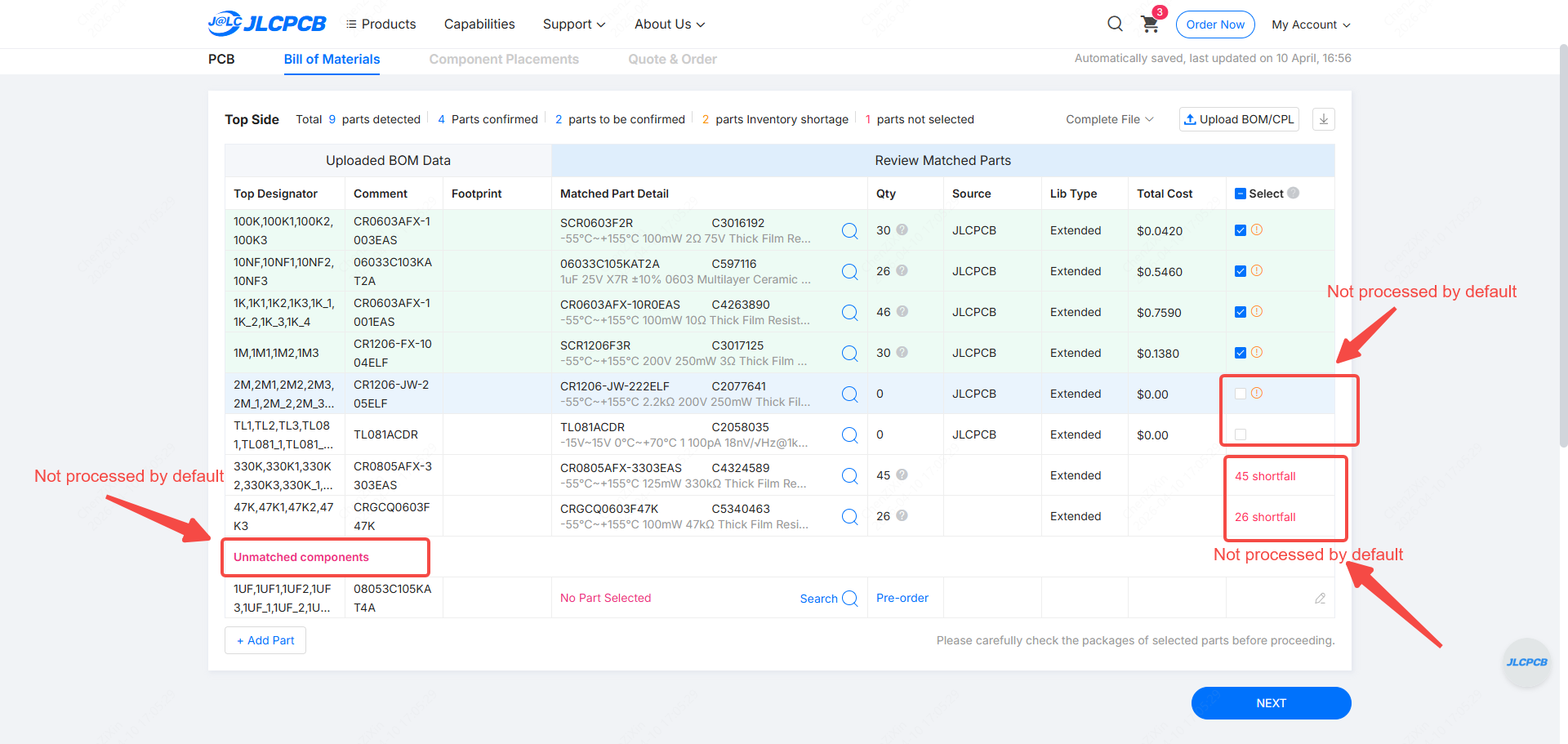
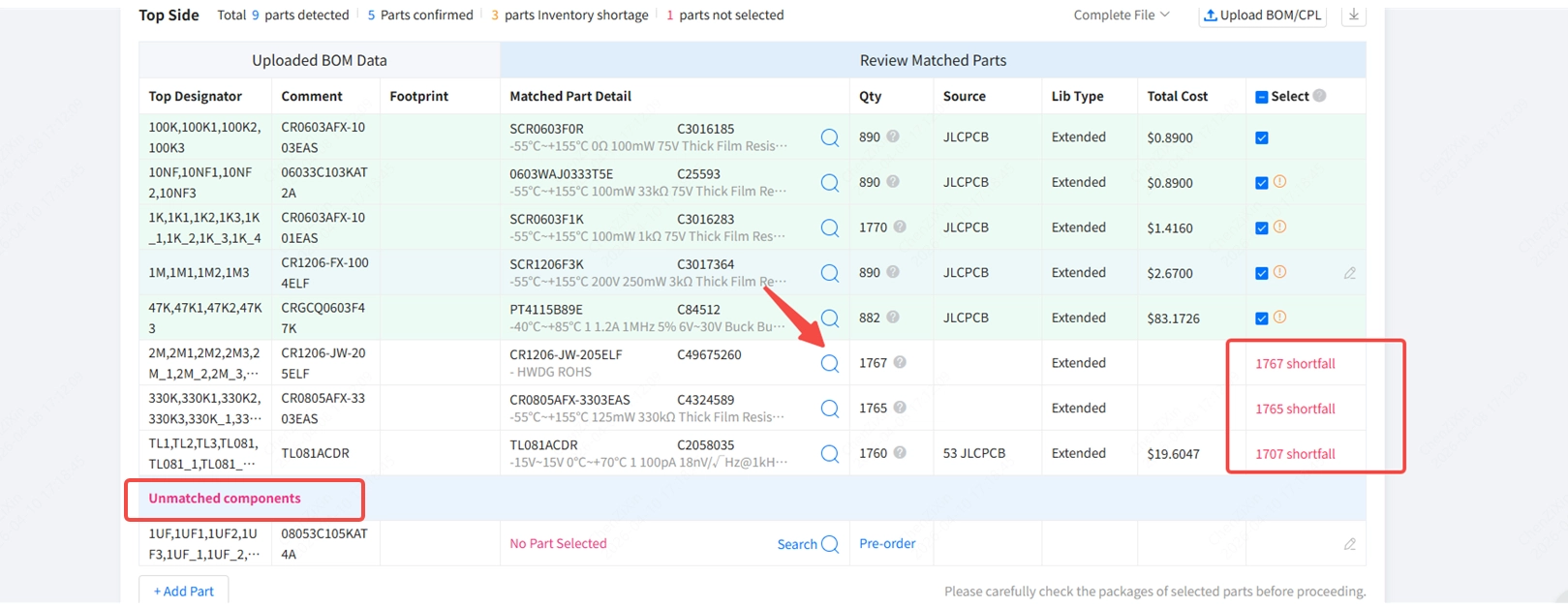
5. As shown in the attached screenshot, when a component appears as Shortfall or is listed under Unmatched Components, for these unselected parts, we recommend using the magnifier icon to choose suitable components that are in stock.
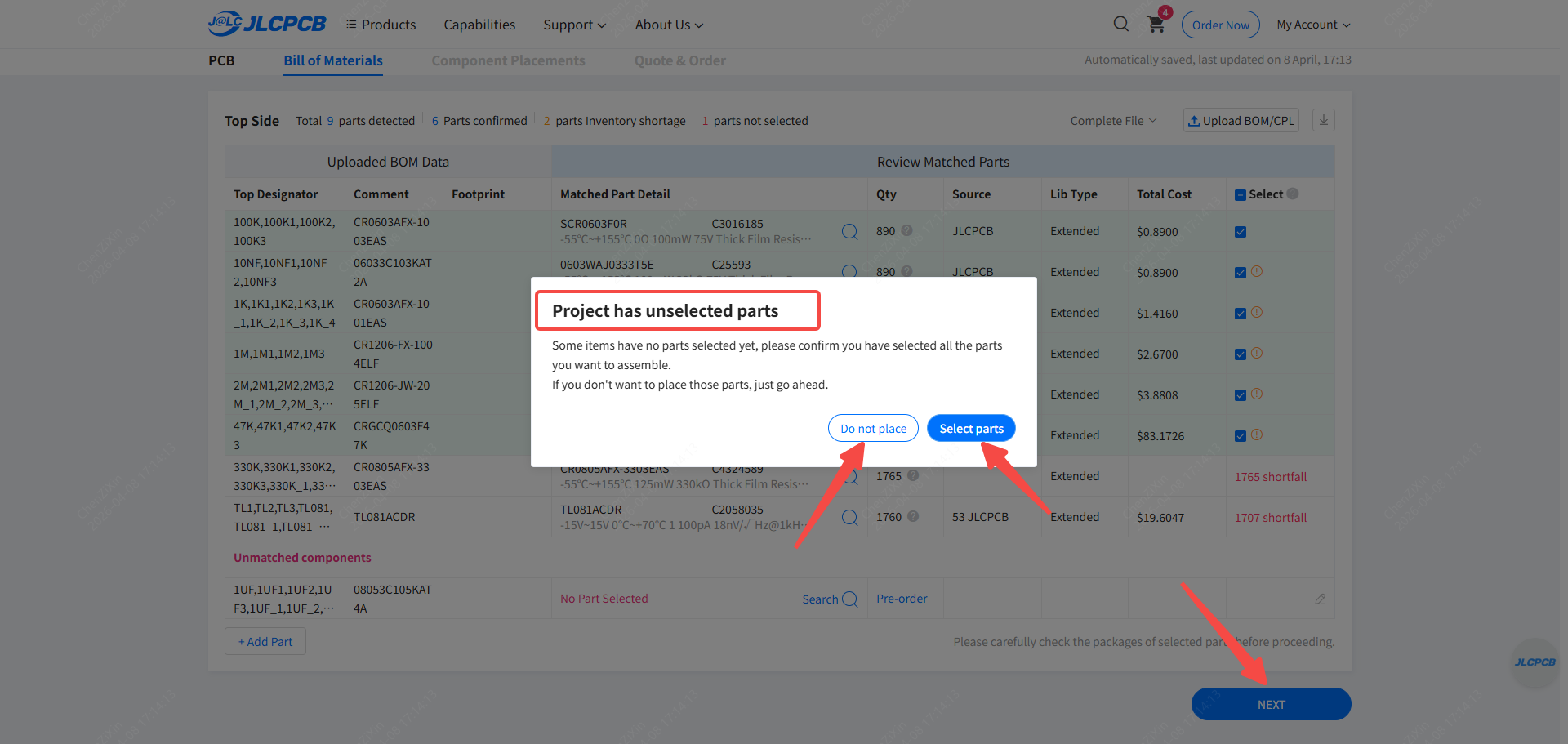
6. If no action is taken on the abnormal components, when you click “NEXT” to proceed to the next step, a prompt window will appear. It will remind you that some components have not been selected. At this stage, you can choose to leave those positions unassembled, or go back to the component matching page to select alternative parts. If Do Not Place is selected, those designators will be left unpopulated by default, meaning no components will be assembled.
7. For guidance on the required documents for placing a PCBA order and explanations of common component matching issues, please refer to the following document.
https://jlcpcb.com/help/article/advice-for-bom-and-cpl-files-preparation
https://jlcpcb.com/help/article/common-bom-and-cpl-matching-issues-and-explanations